What display fonts for wedding invitations actually do
They set the tone before a single word is read. A well-chosen display font tells guests whether the wedding is formal and classic, relaxed and hand-drawn, or modern and architectural without needing extra description.
How display fonts differ from everyday type
Display fonts are designed to be seen at larger sizes: headlines, monograms, or invitation titles. They’re not meant for paragraphs of RSVP details or directions. For wedding invitations, they appear on the couple’s names, date, and venue line places where visual impact matters most.
Which style fits your wedding’s mood and materials?
A script like Great Vibes works well for foil-stamped invitations with velvet envelopes. A geometric sans-serif like Montserrat Black suits minimalist letterpress cards on thick cotton stock. If your stationery includes watercolor illustrations, a soft brush script like Adorn Script integrates more naturally than a sharp serif.
Consider how the font behaves when printed small some delicate scripts lose clarity below 24pt. Test print the full name line at actual size before finalizing.
Common technical missteps and how to fix them
Using too many display fonts in one design is the most frequent error. Stick to one primary display font for names and date, then pair it with a simple, highly legible text font (like Lora or IBM Plex Serif) for body copy.
Another issue: ignoring spacing. Tight letter-spacing on ornate scripts makes them hard to read. Loosen tracking by 50–100 units in design software. Kerning pairs like “AV” or “To” often need manual adjustment.
Don’t assume free fonts are license-free for print use. Check the license many free downloads allow personal use only. For commercial printing, choose fonts with clear desktop + print permissions, like those in our curated collection of display fonts for wedding invitations.
Where else can this thinking apply?
The same principles guide font choice for classroom posters (clarity at distance) or minimalist greeting cards (intentional restraint). Consistency in intent not just aesthetics makes typography work.
Your quick checklist before sending to print
- Print a full-size proof of the invitation front, not just a screen mockup
- Verify all characters render correctly especially accents, ampersands, or custom ligatures
- Confirm the font file used matches the licensed version installed on your machine
- Ensure contrast is high enough: dark ink on white paper, or vice versa no light gray on cream
- Double-check that the display font doesn’t compete visually with decorative elements (flourishes, borders, or photos)
 Best Display Fonts for Classroom Posters
 Minimalist Greeting Card Display Fonts
 Vintage-Inspired Display Fonts for Signage
 Fun Display Fonts for Birthday Party Banners
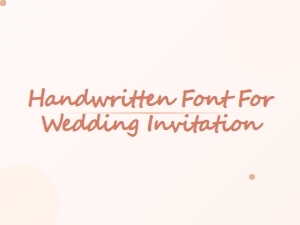 Elegant Handwritten Fonts for Wedding Invitations
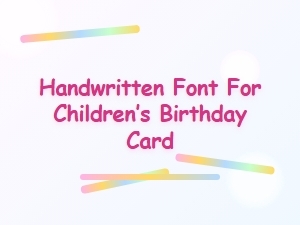 Handwritten Fonts for Children’s Birthday Cards